Create a publication in Publisher

3/18/2020


Publisher is a desktop publishing application that helps you create visually rich, professional-looking publications.

With Publisher on your PC, you can:

  • Lay out content for a print or online publication in a variety of pre-designed templates.
  • Create simple items like greeting cards and labels.
  • Create complex projects like yearbooks, catalogs, and professional email newsletters.

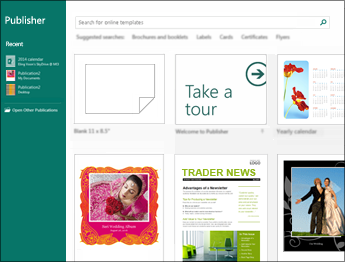
Create with a template

  1. Open Publisher.

If you're already in Publisher, select File > New.

  1. Select or search for a template:
    • Select a FEATURED template.
    • Select BUILT-IN and select a template.
    • Search for a template using:
      • Search for online templates  , or
      • One of the Suggested searches.
  2. Select Create.

Add a text box

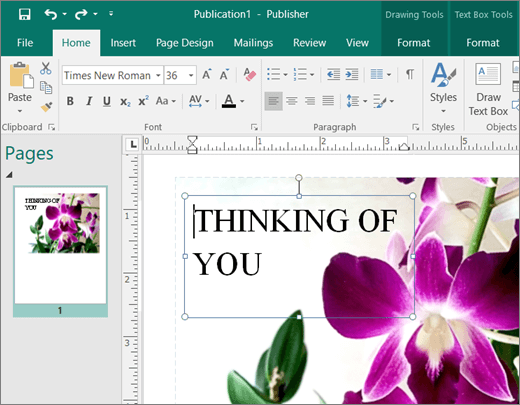
  1. Select Home > Draw Text Box.
  2. Drag the cross-shaped cursor to draw a box where you want to add text.
  3. Type the text in the text box.

If the text doesn't fit in the text box, make the text box bigger, or link it to another text box.
Insert a picture

You can insert a picture from your computer, or insert an online picture from OneDrive or the web.
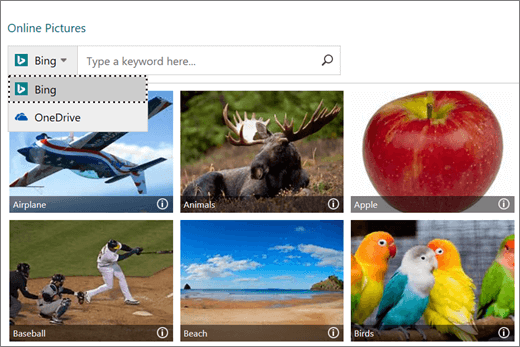
  1. Select Insert > Pictures or Insert > Online Pictures.
  2. Find the picture you want and select it.
  3. Select Insert.